こんにちは
今回は mod_security を使って、色々と検証してみたので、ここに書きます
なお、Mod_security を触ってみた発端は、普段 AWS WAF や Cloudflare などでいい感じに防御されている攻撃を自分の目でしっかりと見ていきたいと思ったからです
■mod_security とは
Apacheに組み込み可能なWAFモジュールであり、Web サーバー単体で WAF 機能を実装することが可能となります。
また、検知ルールをかなり柔軟に設定可能であり、独自ルールの作成はもちろんのこと、
事前にルールがセットアップされている CRS も存在します。
加えて、OWASP Core Rule Set(OWASP CRS)のようなAWSでいうところのマネージドルールのようなものもGitHub上などに存在します。
■環境
OS:AlmaLinux9
Apache:2.4
mod_security:v2
■手順
※httpdのインストールやvhostの作成は事前に済ませておいてください
1. epelリポジトリのインストール
AlmaLinuxではデフォルトのリポジトリに mod_security パッケージが存在しないので、まずは epel リポジトリをインストールします
dnf install epel-release
→ Complete! がでればOKです
2. mod_security のインストール
それでは、mod_security をインストールします
dnf install mod_security
Extra Packages for Enterprise Linux 9 - x86_64                                                                                                                                                               3.3 MB/s |  21 MB     00:06
Extra Packages for Enterprise Linux 9 openh264 (From Cisco) - x86_64                                                                                                                                         473  B/s | 2.5 kB     00:05
Dependencies resolved.
=============================================================================================================================================================================================================================================
 Package                                                    Architecture                                         Version                                                       Repository                                               Size
=============================================================================================================================================================================================================================================
Installing:
 mod_security                                               x86_64                                               2.9.6-3.el9                                                   appstream                                               274 k
Installing dependencies:
 yajl                                                       x86_64                                               2.1.0-25.el9                                                  appstream                                                37 k

Transaction Summary
=============================================================================================================================================================================================================================================
Install  2 Packages

Total download size: 311 k
Installed size: 1.1 M
Is this ok [y/N]: y
Downloading Packages:
(1/2): yajl-2.1.0-25.el9.x86_64.rpm                                                                                                                                                                          279 kB/s |  37 kB     00:00
(2/2): mod_security-2.9.6-3.el9.x86_64.rpm                                                                                                                                                                   1.5 MB/s | 274 kB     00:00
---------------------------------------------------------------------------------------------------------------------------------------------------------------------------------------------------------------------------------------------
Total                                                                                                                                                                                                        338 kB/s | 311 kB     00:00
Running transaction check
Transaction check succeeded.
Running transaction test
Transaction test succeeded.
Running transaction
  Preparing        :                                                                                                                                                                                                                     1/1
  Installing       : yajl-2.1.0-25.el9.x86_64                                                                                                                                                                                            1/2
  Installing       : mod_security-2.9.6-3.el9.x86_64                                                                                                                                                                                     2/2
  Running scriptlet: mod_security-2.9.6-3.el9.x86_64                                                                                                                                                                                     2/2
  Verifying        : mod_security-2.9.6-3.el9.x86_64                                                                                                                                                                                     1/2
  Verifying        : yajl-2.1.0-25.el9.x86_64                                                                                                                                                                                            2/2

Installed:
  mod_security-2.9.6-3.el9.x86_64                                                                                          yajl-2.1.0-25.el9.x86_64

Complete!
→ Complete! になればOKです
念のため rpm コマンドで確認します
rpm -qa |grep "mod_security"
mod_security-2.9.6-3.el9.x86_64
→ mod_security のパッケージが出力されたのでOKですね
3. mod_security 関連のファイルを確認
まずはどのようなファイルが存在するのかを確認します
・モジュールファイル
ls -la /etc/httpd/modules/ | grep security
-rwxr-xr-x. 1 root root 952816 Sep 21 2025 mod_security2.so
→ mod_security2.so が Apacheのデフォルトのモジュールディレクトリ配下に配置されています
・ディレクトリ
ls -la /etc/httpd/modsecurity.d
total 0
0 drwxr-xr-x. 4 root root 48 May 9 18:28 .
0 drwxr-xr-x. 6 root root 126 May 9 18:28 ..
0 drwxr-xr-x. 2 root root 6 Sep 21 2025 activated_rules
0 drwxr-xr-x. 2 root root 41 May 9 18:28 local_rules
→ modsecurity.d のディレクトリが新規作成されており、その中にルール用のディレクトリが存在します
なので、この中に適用するルールを入れていく感じですね
・confファイル
ls -la /etc/httpd/conf.d/ | grep security.conf
-rw-r--r--. 1 root root 2201 Sep 21 2025 mod_security.conf
→ 通常のvhostなどを配置するディレクトリ内に mod_security.conf が設置されます
・mod_security.conf
<IfModule mod_security2.c>
    # Default recommended configuration
    SecRuleEngine On
    SecRequestBodyAccess On
    SecRule REQUEST_HEADERS:Content-Type "text/xml" \
         "id:'200000',phase:1,t:none,t:lowercase,pass,nolog,ctl:requestBodyProcessor=XML"
    SecRequestBodyLimit 13107200
    SecRequestBodyNoFilesLimit 131072
    SecRequestBodyInMemoryLimit 131072
    SecRequestBodyLimitAction Reject
    SecRule REQBODY_ERROR "!@eq 0" \
    "id:'200001', phase:2,t:none,log,deny,status:400,msg:'Failed to parse request body.',logdata:'%{reqbody_error_msg}',severity:2"
    SecRule MULTIPART_STRICT_ERROR "!@eq 0" \
    "id:'200002',phase:2,t:none,log,deny,status:400,msg:'Multipart request body \
    failed strict validation: \
    PE %{REQBODY_PROCESSOR_ERROR}, \
    BQ %{MULTIPART_BOUNDARY_QUOTED}, \
    BW %{MULTIPART_BOUNDARY_WHITESPACE}, \
    DB %{MULTIPART_DATA_BEFORE}, \
    DA %{MULTIPART_DATA_AFTER}, \
    HF %{MULTIPART_HEADER_FOLDING}, \
    LF %{MULTIPART_LF_LINE}, \
    SM %{MULTIPART_MISSING_SEMICOLON}, \
    IQ %{MULTIPART_INVALID_QUOTING}, \
    IP %{MULTIPART_INVALID_PART}, \
    IH %{MULTIPART_INVALID_HEADER_FOLDING}, \
    FL %{MULTIPART_FILE_LIMIT_EXCEEDED}'"

    SecRule MULTIPART_UNMATCHED_BOUNDARY "!@eq 0" \
    "id:'200003',phase:2,t:none,log,deny,status:44,msg:'Multipart parser detected a possible unmatched boundary.'"

    SecPcreMatchLimit 1000
    SecPcreMatchLimitRecursion 1000

    SecRule TX:/^MSC_/ "!@streq 0" \
            "id:'200004',phase:2,t:none,deny,msg:'ModSecurity internal error flagged: %{MATCHED_VAR_NAME}'"

    SecResponseBodyAccess Off
    SecDebugLog /var/log/httpd/modsec_debug.log
    SecDebugLogLevel 0
    SecAuditEngine RelevantOnly
    SecAuditLogRelevantStatus "^(?:5|4(?!04))"
    SecAuditLogParts ABIJDEFHZ
    SecAuditLogType Serial
    SecAuditLog /var/log/httpd/modsec_audit.log
    SecArgumentSeparator &
    SecCookieFormat 0
    SecTmpDir /var/lib/mod_security
    SecDataDir /var/lib/mod_security

    # ModSecurity Core Rules Set and Local configuration
        IncludeOptional modsecurity.d/*.conf
        IncludeOptional modsecurity.d/activated_rules/*.conf
        IncludeOptional modsecurity.d/local_rules/*.conf

</IfModule>
→ デフォルトである程度の設定は入っており、追加設定はやはり先ほど確認した modsecurity.d 配下に置いていくことになりそうです
なお、デフォルトでは SecRuleEngine が On になっており、いきなりブロックが有効になっているので、できれば最初は DetectionOnly で設定し、検知モードで稼働させたほうがよいと思われます
4. 独自ルールの作成
まずは簡単な XSS を検知するためのルールを作成してみます
vi /etc/httpd/modsecurity.d/local_rules/modsecurity_localrules.conf
SecDefaultAction "phase:2,deny,log,status:403"
SecRule ARGS "<[Ss][Cc][Rr][Ii][Pp][Tt]" "id:'500003'"
→ 引数に <SCRIPT (小文字含む)文字列が存在するかどうかを検知します
まt、検知したものを 403 でブロックします
httpdを再起動します
systemctl restart httpd
5. 動作確認
ブラウザのURLにて http://[FQDN]/?q=<script> のようなものを入力し、動作確認します
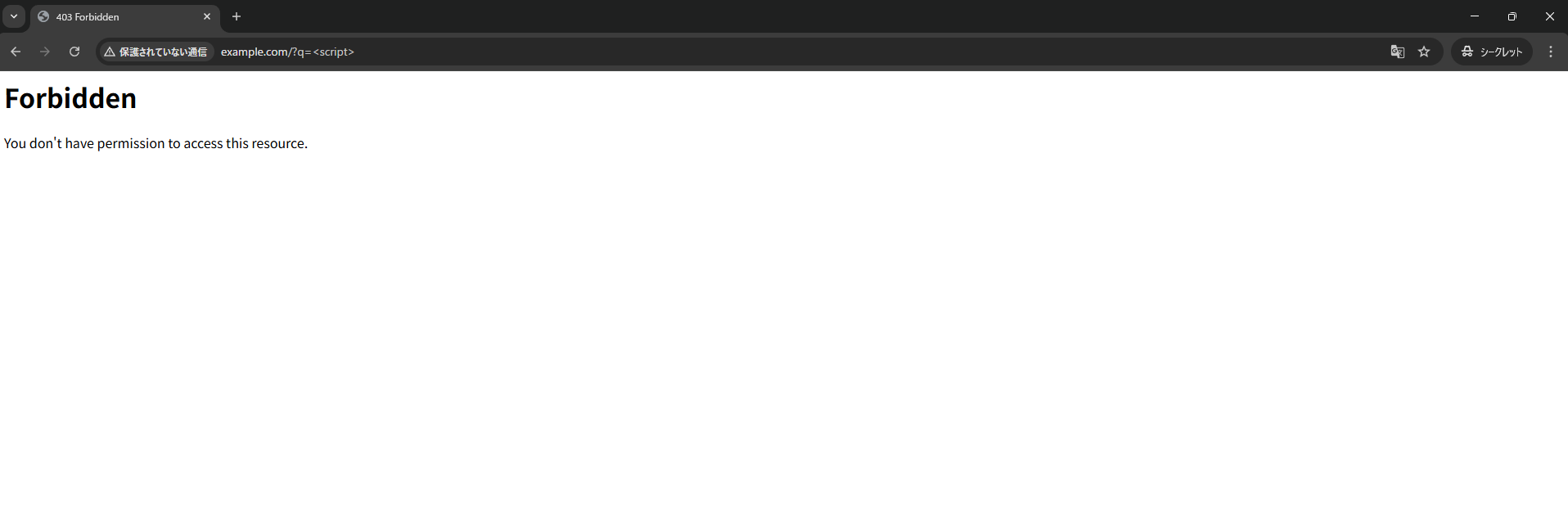
→ ブラウザ上では 403 でブロックされました
また、アクセスログ上でも検知とブロックが実行されてました
cat /var/log/httpd/modsec_audit.log
--14ba5651-H--
Message: Access denied with code 403 (phase 2). Pattern match "<[Ss][Cc][Rr][Ii][Pp][Tt]" at ARGS:q. [file "/etc/httpd/modsecurity.d/local_rules/modsecurity_localrules.conf"] [line "11"] [id "500003"]
Apache-Error: [file "apache2_util.c"] [line 271] [level 3] [client 192.168.33.1] ModSecurity: Access denied with code 403 (phase 2). Pattern match "<[Ss][Cc][Rr][Ii][Pp][Tt]" at ARGS:q. [file "/etc/httpd/modsecurity.d/local_rules/modsecurity_localrules.conf"] [line "11"] [id "500003"] [hostname "example.com"] [uri "/"] [unique_id "af8HPVb0JFYhtKXTVteARAAAAAA"]
Action: Intercepted (phase 2)
Stopwatch: 1778321213641126 1587 (- - -)
Stopwatch2: 1778321213641126 1587; combined=80, p1=18, p2=58, p3=0, p4=0, p5=4, sr=0, sw=0, l=0, gc=0
Response-Body-Transformed: Dechunked
Producer: ModSecurity for Apache/2.9.6 (http://www.modsecurity.org/).
Server: Apache
Engine-Mode: "ENABLED"

--14ba5651-Z--
6. コアルールセットの導入
通常WAFを利用する際はあまり同時ルールを作成することはなく、基本的にはコアルールセット(CRS)を利用することが多いと思います
なので、次はこちらをインストールしてみます
dnf install mod_security_cr
→ Complete! が出ればOKです
下記のように大量のルールセット用のconfファイルが作成され、activated_rules
ls -la /usr/share/mod_modsecurity_crs/rules
total 696
drwxr-xr-x. 2 root root  4096 May  9 19:11 .
drwxr-xr-x. 3 root root    19 May  9 19:11 ..
-rw-r--r--. 1 root root 14108 Jan 28 19:01 REQUEST-901-INITIALIZATION.conf
-rw-r--r--. 1 root root 13625 Jan 28 19:01 REQUEST-903.9001-DRUPAL-EXCLUSION-RUL
-rw-r--r--. 1 root root 25882 Jan 28 19:01 REQUEST-903.9002-WORDPRESS-EXCLUSION-
-rw-r--r--. 1 root root 10712 Jan 28 19:01 REQUEST-903.9003-NEXTCLOUD-EXCLUSION-
-rw-r--r--. 1 root root  7892 Jan 28 19:01 REQUEST-903.9004-DOKUWIKI-EXCLUSION-R
-rw-r--r--. 1 root root  1946 Jan 28 19:01 REQUEST-903.9005-CPANEL-EXCLUSION-RUL
-rw-r--r--. 1 root root 18406 Jan 28 19:01 REQUEST-903.9006-XENFORO-EXCLUSION-RU
-rw-r--r--. 1 root root  1625 Jan 28 19:01 REQUEST-905-COMMON-EXCEPTIONS.conf
-rw-r--r--. 1 root root 10402 Jan 28 19:01 REQUEST-910-IP-REPUTATION.conf
-rw-r--r--. 1 root root  2684 Jan 28 19:01 REQUEST-911-METHOD-ENFORCEMENT.conf
-rw-r--r--. 1 root root 10668 Jan 28 19:01 REQUEST-912-DOS-PROTECTION.conf
-rw-r--r--. 1 root root  7314 Jan 28 19:01 REQUEST-913-SCANNER-DETECTION.conf
-rw-r--r--. 1 root root 54347 Jan 28 19:01 REQUEST-920-PROTOCOL-ENFORCEMENT.conf
~割愛~
ls -la /etc/httpd/modsecurity.d/activated_rules/
total 16
drwxr-xr-x. 2 root root 4096 May  9 19:11 .
drwxr-xr-x. 4 root root   70 May  9 19:34 ..
-rw-r--r--. 1 root root 7658 Jul 21  2023 REQUEST-900-EXCLUSION-RULES-BEFORE-CRS.conf
lrwxrwxrwx. 1 root root   68 Jan 28 19:01 REQUEST-901-INITIALIZATION.conf -> /usr/share/mod_modsecurity_crs/rules/REQUEST-901-INITIALIZATION.conf
lrwxrwxrwx. 1 root root   81 Jan 28 19:01 REQUEST-903.9001-DRUPAL-EXCLUSION-RULES.conf -> /usr/share/mod_modsecurity_crs/rules/REQUEST-903.9001-DRUPAL-EXCLUSION-RULES.conf
lrwxrwxrwx. 1 root root   84 Jan 28 19:01 REQUEST-903.9002-WORDPRESS-EXCLUSION-RULES.conf -> /usr/share/mod_modsecurity_crs/rules/REQUEST-903.9002-WORDPRESS-EXCLUSION-RULES.conf
lrwxrwxrwx. 1 root root   84 Jan 28 19:01 REQUEST-903.9003-NEXTCLOUD-EXCLUSION-RULES.conf -> /usr/share/mod_modsecurity_crs/rules/REQUEST-903.9003-NEXTCLOUD-EXCLUSION-RULES.conf
lrwxrwxrwx. 1 root root   83 Jan 28 19:01 REQUEST-903.9004-DOKUWIKI-EXCLUSION-RULES.conf -> /usr/share/mod_modsecurity_crs/rules/REQUEST-903.9004-DOKUWIKI-EXCLUSION-RULES.conf
lrwxrwxrwx. 1 root root   81 Jan 28 19:01 REQUEST-903.9005-CPANEL-EXCLUSION-RULES.conf -> /usr/share/mod_modsecurity_crs/rules/REQUEST-903.9005-CPANEL-EXCLUSION-RULES.conf
lrwxrwxrwx. 1 root root   82 Jan 28 19:01 REQUEST-903.9006-XENFORO-EXCLUSION-RULES.conf -> /usr/share/mod_modsecurity_crs/rules/REQUEST-903.9006-XENFORO-EXCLUSION-RULES.conf
lrwxrwxrwx. 1 root root   71 Jan 28 19:01 REQUEST-905-COMMON-EXCEPTIONS.conf -> /usr/share/mod_modsecurity_crs/rules/REQUEST-905-COMMON-EXCEPTIONS.conf
lrwxrwxrwx. 1 root root   67 Jan 28 19:01 REQUEST-910-IP-REPUTATION.conf -> /usr/share/mod_modsecurity_crs/rules/REQUEST-910-IP-REPUTATION.conf
lrwxrwxrwx. 1 root root   72 Jan 28 19:01 REQUEST-911-METHOD-ENFORCEMENT.conf -> /usr/share/mod_modsecurity_crs/rules/REQUEST-911-METHOD-ENFORCEMENT.conf
~割愛~
Apacheを再起動する前にややこしいので自作したルールはコメントアウトしておきましょう
vi /etc/httpd/modsecurity.d/local_rules/modsecurity_localrules.conf
#SecDefaultAction "phase:2,deny,log,status:403"

#SecRule ARGS "<[Ss][Cc][Rr][Ii][Pp][Tt]" "id:'500003'"
それでは、Apacheを再起動します
systemctl restart httpd
7. 動作確認
それでは、改めて動作確認をしてみます
同じようにブラウザのURLにて http://[FQDN]/?q=<script> のようなものを入力してみると、先ほどと同じように Forbidden となりました
なお、ログの出力内容はかなり変わったので、CRSが有効になってそうです
cat /var/log/httpd/modsec_audit.log
--2c303627-H--
Message: Warning. detected XSS using libinjection. [file "/etc/httpd/modsecurity.d/activated_rules/REQUEST-941-APPLICATION-ATTACK-XSS.conf"] [line "56"] [id "941100"] [msg "XSS Attack Detected via libinjection"] [data "Matched Data: XSS data found within ARGS:q: <script>"] [severity "CRITICAL"] [ver "OWASP_CRS/3.3.5"] [tag "application-multi"] [tag "language-multi"] [tag "platform-multi"] [tag "attack-xss"] [tag "paranoia-level/1"] [tag "OWASP_CRS"] [tag "capec/1000/152/242"]
Message: Warning. Pattern match "(?i)<script[^>]*>[\\s\\S]*?" at ARGS:q. [file "/etc/httpd/modsecurity.d/activated_rules/REQUEST-941-APPLICATION-ATTACK-XSS.conf"] [line "83"] [id "941110"] [msg "XSS Filter - Category 1: Script Tag Vector"] [data "Matched Data: <script> found within ARGS:q: <script>"] [severity "CRITICAL"] [ver "OWASP_CRS/3.3.5"] [tag "application-multi"] [tag "language-multi"] [tag "platform-multi"] [tag "attack-xss"] [tag "paranoia-level/1"] [tag "OWASP_CRS"] [tag "capec/1000/152/242"]
Message: Warning. Pattern match "(?i:(?:<\\w[\\s\\S]*[\\s\\/]|['\"](?:[\\s\\S]*[\\s\\/])?)(?:on(?:d(?:e(?:vice(?:(?:orienta|mo)tion|proximity|found|light)|livery(?:success|error)|activate)|r(?:ag(?:e(?:n(?:ter|d)|xit)|(?:gestur|leav)e|start|drop|over)|op)|i(?:s(?:c(?:hargingtimechange ..." at ARGS:q. [file "/etc/httpd/modsecurity.d/activated_rules/REQUEST-941-APPLICATION-ATTACK-XSS.conf"] [line "200"] [id "941160"] [msg "NoScript XSS InjectionChecker: HTML Injection"] [data "Matched Data: <script found within ARGS:q: <script>"] [severity "CRITICAL"] [ver "OWASP_CRS/3.3.5"] [tag "application-multi"] [tag "language-multi"] [tag "platform-multi"] [tag "attack-xss"] [tag "paranoia-level/1"] [tag "OWASP_CRS"] [tag "capec/1000/152/242"]
Message: Access denied with code 403 (phase 2). Operator GE matched 5 at TX:anomaly_score. [file "/etc/httpd/modsecurity.d/activated_rules/REQUEST-949-BLOCKING-EVALUATION.conf"] [line "153"] [id "949110"] [msg "Inbound Anomaly Score Exceeded (Total Score: 15)"] [severity "CRITICAL"] [ver "OWASP_CRS/3.3.5"] [tag "application-multi"] [tag "language-multi"] [tag "platform-multi"] [tag "attack-generic"]
Message: Warning. Operator GE matched 5 at TX:inbound_anomaly_score. [file "/etc/httpd/modsecurity.d/activated_rules/RESPONSE-980-CORRELATION.conf"] [line "92"] [id "980130"] [msg "Inbound Anomaly Score Exceeded (Total Inbound Score: 15 - SQLI=0,XSS=15,RFI=0,LFI=0,RCE=0,PHPI=0,HTTP=0,SESS=0): individual paranoia level scores: 15, 0, 0, 0"] [ver "OWASP_CRS/3.3.5"] [tag "event-correlation"]
Apache-Error: [file "apache2_util.c"] [line 271] [level 3] [client 192.168.33.1] ModSecurity: Warning. detected XSS using libinjection. [file "/etc/httpd/modsecurity.d/activated_rules/REQUEST-941-APPLICATION-ATTACK-XSS.conf"] [line "56"] [id "941100"] [msg "XSS Attack Detected via libinjection"] [data "Matched Data: XSS data found within ARGS:q: <script>"] [severity "CRITICAL"] [ver "OWASP_CRS/3.3.5"] [tag "application-multi"] [tag "language-multi"] [tag "platform-multi"] [tag "attack-xss"] [tag "paranoia-level/1"] [tag "OWASP_CRS"] [tag "capec/1000/152/242"] [hostname "example.com"] [uri "/"] [unique_id "af8OPtYJbfdFHgpo58IP2wAAAAA"]
Apache-Error: [file "apache2_util.c"] [line 271] [level 3] [client 192.168.33.1] ModSecurity: Warning. Pattern match "(?i)<script[^>]*>[\\\\\\\\s\\\\\\\\S]*?" at ARGS:q. [file "/etc/httpd/modsecurity.d/activated_rules/REQUEST-941-APPLICATION-ATTACK-XSS.conf"] [line "83"] [id "941110"] [msg "XSS Filter - Category 1: Script Tag Vector"] [data "Matched Data: <script> found within ARGS:q: <script>"] [severity "CRITICAL"] [ver "OWASP_CRS/3.3.5"] [tag "application-multi"] [tag "language-multi"] [tag "platform-multi"] [tag "attack-xss"] [tag "paranoia-level/1"] [tag "OWASP_CRS"] [tag "capec/1000/152/242"] [hostname "example.com"] [uri "/"] [unique_id "af8OPtYJbfdFHgpo58IP2wAAAAA"]
Apache-Error: [file "apache2_util.c"] [line 271] [level 3] [client 192.168.33.1] ModSecurity: Warning. Pattern match "(?i:(?:<\\\\\\\\w[\\\\\\\\s\\\\\\\\S]*[\\\\\\\\s\\\\\\\\/]|['\\\\"](?:[\\\\\\\\s\\\\\\\\S]*[\\\\\\\\s\\\\\\\\/])?)(?:on(?:d(?:e(?:vice(?:(?:orienta|mo)tion|proximity|found|light)|livery(?:success|error)|activate)|r(?:ag(?:e(?:n(?:ter|d)|xit)|(?:gestur|leav)e|start|drop|over)|op)|i(?:s(?:c(?:hargingtimechange ..." at ARGS:q. [file "/etc/httpd/modsecurity.d/activated_rules/REQUEST-941-APPLICATION-ATTACK-XSS.conf"] [line "200"] [id "941160"] [msg "NoScript XSS InjectionChecker: HTML Injection"] [data "Matched Data: <script found within ARGS:q: <script>"] [severity "CRITICAL"] [ver "OWASP_CRS/3.3.5"] [tag "application-multi"] [tag "language-multi"] [tag "platform-multi"] [tag "attack-xss"] [tag "paranoia-level/1"] [tag "OWASP_CRS"] [tag "capec/1000/152/242"] [hostname "example.com"] [uri "/"] [unique_id "af8OPtYJbfdFHgpo58IP2wAAAAA"]
Apache-Error: [file "apache2_util.c"] [line 271] [level 3] [client 192.168.33.1] ModSecurity: Access denied with code 403 (phase 2). Operator GE matched 5 at TX:anomaly_score. [file "/etc/httpd/modsecurity.d/activated_rules/REQUEST-949-BLOCKING-EVALUATION.conf"] [line "153"] [id "949110"] [msg "Inbound Anomaly Score Exceeded (Total Score: 15)"] [severity "CRITICAL"] [ver "OWASP_CRS/3.3.5"] [tag "application-multi"] [tag "language-multi"] [tag "platform-multi"] [tag "attack-generic"] [hostname "example.com"] [uri "/"] [unique_id "af8OPtYJbfdFHgpo58IP2wAAAAA"]
Apache-Error: [file "apache2_util.c"] [line 271] [level 3] [client 192.168.33.1] ModSecurity: Warning. Operator GE matched 5 at TX:inbound_anomaly_score. [file "/etc/httpd/modsecurity.d/activated_rules/RESPONSE-980-CORRELATION.conf"] [line "92"] [id "980130"] [msg "Inbound Anomaly Score Exceeded (Total Inbound Score: 15 - SQLI=0,XSS=15,RFI=0,LFI=0,RCE=0,PHPI=0,HTTP=0,SESS=0): individual paranoia level scores: 15, 0, 0, 0"] [ver "OWASP_CRS/3.3.5"] [tag "event-correlation"] [hostname "example.com"] [uri "/"] [unique_id "af8OPtYJbfdFHgpo58IP2wAAAAA"]
Action: Intercepted (phase 2)
Stopwatch: 1778323006403996 13234 (- - -)
Stopwatch2: 1778323006403996 13234; combined=6186, p1=3020, p2=2716, p3=0, p4=0, p5=449, sr=778, sw=1, l=0, gc=0
Response-Body-Transformed: Dechunked
Producer: ModSecurity for Apache/2.9.6 (http://www.modsecurity.org/); OWASP_CRS/3.3.5.
Server: Apache
Engine-Mode: "ENABLED"

--2c303627-Z--
■最後に
いかがでしたでしょうか?
導入自体はそこまで難しくなかったですが、自作でチューニングする場合はすこしややこしくなりそうな印象でした。
ただ、基本的な利用であれば、CRSのみでOWASPが定めている攻撃に十分対処可能であり、実際に XSS などは簡単に防御できました。
また、標準のCRSだけでなく、Githubなどからも事前にセットアップされたルールを持ってくることができるので、そこも大きな強みなのかなとも感じました。
今後もし実務などで使うことがあれば、今回勉強したことを活かしていきたいとおみます